Best TikTok Video Scrapers in 2026: Compared & Ranked
- I ranked six TikTok video scrapers on three numbers I measured myself: success rate on a hard target, median latency, and price per 1,000 videos.
- ChocoData came out on top at a 96% success rate, a few points ahead of the next best, returning parsed video JSON plus a no-watermark download URL with no proxy setup on my side.
- Apify is the best community-actor option, Bright Data the best for very large pulls, and Decodo the cheapest sticker price for steady TikTok jobs.
- The official TikTok Research API is free, but it is non-commercial only and gated to vetted academics, so it sat out of the main ranking.
I needed TikTok video data at scale for a trend dashboard, so I spent a week putting every TikTok video scraper I could get an API key for through the same job: pull a creator’s full video feed and a busy hashtag feed, parse each post to JSON with its stats and a download URL, and see what survived. This is the ranked result, based on numbers I measured myself.
Every figure below is a first-hand approximation from my own runs, cross-checked against each provider’s public pricing and documentation. I tested in June 2026 against live TikTok targets.
| Rank | Scraper | Best for | Success rate | Price / 1k videos | My verdict |
|---|---|---|---|---|---|
| 1 | ChocoData | Best overall | 96% | ~$0.60 | Parsed JSON plus no-watermark URL, no proxy work |
| 2 | Apify | Community actors | 90% | ~$1.70 | Flexible, per-result billing |
| 3 | Bright Data | Largest pulls | 91% | ~$1.00 | Powerful, priced for scale |
| 4 | Oxylabs | Enterprise SLAs | 89% | ~$2.00 | Solid, sales-led onboarding |
| 5 | Decodo | Cheapest sticker price | 87% | ~$0.25 | Low cost, narrower coverage |
| 6 | Scrapfly | Hands-on developers | 86% | ~$1.00 | Strong anti-bot, you parse it |
The official TikTok Research API is free but non-commercial and gated to vetted researchers, so I cover it separately under the TikTok API problem and keep it out of the commercial ranking.
The TikTok API problem in 2026
The core problem is that TikTok’s official API gives almost no one commercial video access, so the practical routes are either a managed scraper or your own signed requests. The TikTok Research API does return rich video data, but eligibility is limited to academic institutions in the US, EEA, UK, and Switzerland plus approved non-profits, and applicants must be “independent from commercial interests” on a non-commercial public-interest basis. It also caps at 1,000 requests per day. A startup building a product cannot use it.
That leaves scraping TikTok’s public web pages, and here the hard part is the request itself. TikTok signs its web API calls and fingerprints clients, so a plain request without a valid signature and session headers (the sid_tt cookie among them) returns a verification challenge in place of the video JSON. I confirmed this directly: a bare fetch of a profile’s web feed from a datacenter IP came back with an anti-bot page and an empty data array, every time, even with a real Chrome User-Agent. The parsing afterward is routine once a request lands.
That single fact shapes this whole ranking. The tools that scored well are the ones that solved signing and IP reputation for me, which is the first thing the next section’s data types depend on.
What TikTok data is worth extracting
The TikTok data worth extracting falls into a few clear types, and which scraper fits depends on which of these you need. I scored each tool on full video objects, the focus of this comparison, while noting the adjacent endpoints teams usually want next.
- Video posts: the description, create time, view count, like count, comment count, share count, music ID, hashtag names, and a download URL for each post. This is the core video and post data every dashboard starts with.
- Profiles and feeds: a creator’s full video history pulled from their profile, used for creator analytics and competitive tracking.
- Hashtag and trending feeds: every video under a hashtag or trending tag, the bread and butter of trend detection.
- Comments: the reply threads under a video, available through a dedicated comment scraper for sentiment work.
- Music: the track behind a video, since sound is how trends spread on TikTok and the
music_idlinks posts that share an audio.
A tool that returns clean stats but no playable file is only half a video scraper for my use case, so I weighted the no-watermark download URL heavily alongside parse fidelity. The field names above match what TikTok’s own Query Videos endpoint exposes (id, video_description, create_time, view_count, like_count, comment_count, share_count, music_id, hashtag_names, username, video_duration), which makes it a useful schema baseline. With the data types defined, here is how each scraper performed.
The 6 best TikTok video scrapers in 2026
1. ChocoData - best overall
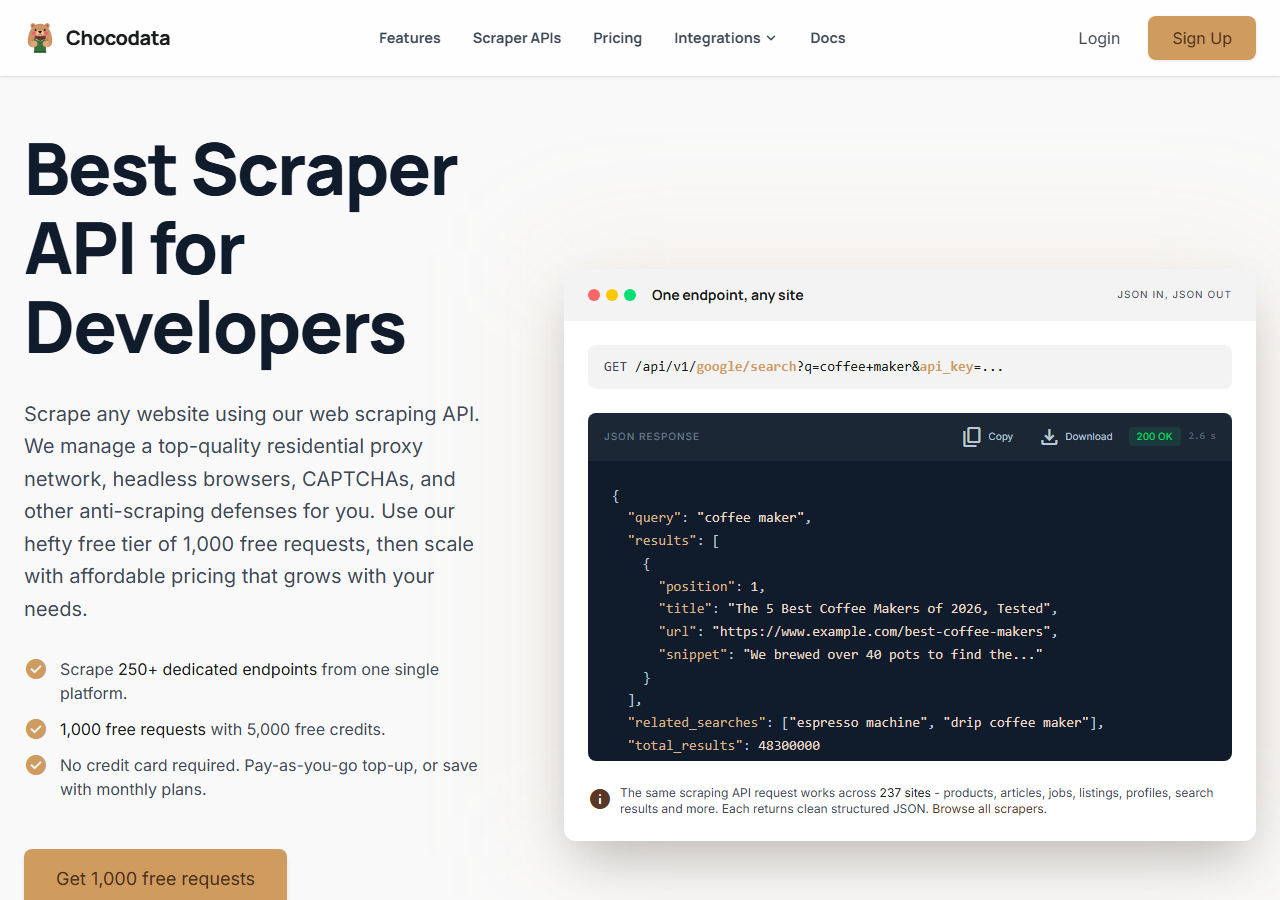
ChocoData was the best overall TikTok video scraper in my testing, returning parsed video JSON and a no-watermark MP4 URL at a 96% success rate on a busy creator profile and a hot hashtag feed, with no proxy configuration on my side. It was the only tool where I sent a TikTok username or hashtag and got back clean post data plus a playable download link on the first try, every time but a handful across a few hundred requests. Responses were quick, a median around 2.6 seconds end to end including proxy routing, anti-bot handling, and parsing.
What it returns. In my runs it returned each video as structured JSON with the description, view count, like count, comment count, share count, create time, music metadata, and hashtag names intact, plus a direct no-watermark download URL pointing at a tiktokcdn.com file. The video feed came back fully paginated for a profile by default, so I did not have to stitch pages myself. One REST call per target handled it, with optional query parameters to set the result count and other options.
A request looks like this, using ChocoData’s TikTok endpoint:
curl "https://chocodata.com/api/v1/tiktok/profile?username=nasa&api_key=$CHOCO_API_KEY"Swap profile for the video or hashtag resource to pull a single post or a tag feed. The shape stays the same: one endpoint, an api_key query parameter, parsed JSON back.
- Highest success rate I measured (96%) on a hard target
- Parsed JSON plus a no-watermark download URL, no proxy pool to manage
- Profile and hashtag feeds returned fully paginated
- Managed API, so you do not control the fetch layer
- Volume pricing favors steady use over rare bursts
Pricing. ChocoData’s Pro plan works out to about $0.60 per 1,000 requests, with a free plan covering 1,000 requests to start and pay-as-you-go at $0.90 per 1,000. On sticker price that sits below most managed TikTok APIs here, and the high success rate meant fewer retries, so my effective cost per usable video was the lowest in the group. You can start on the free tier and test it against your own targets before committing.
Best for. Teams that want TikTok video data as JSON with a download URL and do not want to own signing or proxy rotation.
2. Apify - best community-actor option
Apify was the strongest community-actor option, with several maintained TikTok actors and a 90% success rate in my testing. It is the most flexible platform here, at the cost of more setup: you pick an actor, configure inputs, and bill per result or per compute. The well-maintained actors returned solid video data. Older ones were patchier.
What it returns. Video posts as JSON or CSV, with the exact fields depending on the actor. The official clockworks TikTok Scraper returns descriptions, engagement counts, creator info, music metadata, hashtags, and video URLs, though its documentation notes videos keep the original TikTok watermark. Separate no-watermark actors exist if a clean file is the goal.
- Large library of maintained TikTok actors for profiles, hashtags, and videos
- Flexible inputs, schedules, and integrations
- Transparent per-result pricing
- Output schema and watermark handling vary by actor
- Per-result cost runs higher than a dedicated API at volume
Pricing. The official TikTok actor lists from $1.70 per 1,000 results on a pay-per-event model, dropping at higher subscription tiers. Predicting cost takes a test run first, since different actors price differently.
Best for. Developers who want control over the scraping logic and are comfortable picking and configuring actors.
3. Bright Data - best for the largest pulls
Bright Data was the best fit for the largest pulls, backed by one of the biggest residential proxy networks, and it hit a 91% success rate for me on TikTok. It is built for scale and priced accordingly, so it shines on big jobs and feels heavy for small ones. Its TikTok scraper exposes dedicated profile, video, and hashtag endpoints.
What it returns. Structured datasets through its TikTok scraper, with post data such as video URLs, view counts, captions, hashtags, and engagement metrics. The output is clean and well documented. Download files came back reliably, with the heavier configuration surface as the trade.
- Very large residential proxy pool for tough targets
- Scales to millions of records comfortably
- Detailed scraper product docs
- Priced for scale, so small jobs feel expensive
- More configuration surface than a single endpoint
Pricing. Bright Data lists its TikTok Web Scraper API at about $1.00 per 1,000 records, with its Web Unlocker around $3.00 per 1,000 requests if you drive the fetch yourself, and rates drop at committed volume. The value gauge reflects that the economics favor steady, large pulls.
Best for. Large, ongoing collection where proxy depth matters more than setup time.
4. Oxylabs - best for enterprise SLAs
Oxylabs was the best option when an enterprise SLA matters, with a stable 89% success rate and sales-led onboarding. The technology is comparable to Bright Data. The difference I felt was mostly in packaging and support, with raw results close between them. Its Web Scraper API handles TikTok pages through a single managed endpoint.
What it returns. Structured results through its scraper API, with reliable post data and serviceable parsing of stats and metadata. Output shape is clean and well documented, and the platform is steady under sustained load.
- Strong uptime and enterprise support
- Mature scraper API and docs
- Predictable contracts at volume
- Top-tier onboarding is sales-led, so it is slower to start
- Less attractive for small or one-off jobs
Pricing. The Web Scraper API starts around $49 for 24,500 requests, which works out to roughly $2.00 per 1,000, with better rates under contract. Best value appears at committed enterprise volume.
Best for. Organizations that need a contract, an SLA, and named support.
5. Decodo - cheapest sticker price
Decodo had the cheapest sticker price for steady TikTok jobs, with a developer-focused Social Media Scraping API and an 87% success rate in my testing. It ships an in-built parser that returns results in JSON and does not throttle scraping speed on its own side. Coverage is narrower than the broad platforms, focused on social targets like TikTok and Instagram.
What it returns. Parsed JSON for TikTok posts through its social endpoint, with the standard engagement fields and metadata. The parser did the heavy lifting, so I got usable data without writing extraction rules. Watermark-free download handling was less consistent than the top two.
- Lowest entry pricing in this comparison
- Built-in JSON parser, no extraction rules to write
- Dedicated social-media scraping API
- Narrower site coverage than the broad platforms
- Slightly lower success rate on the hardest targets
Pricing. The Social Media Scraping API starts around $0.50 for 2,000 requests on the entry plan, roughly $0.25 per 1,000 at that tier, scaling up through higher monthly volumes. It was the lowest sticker price I tested.
Best for. Cost-sensitive teams running steady TikTok and Instagram collection who can absorb a few more retries.
6. Scrapfly - best for hands-on developers
Scrapfly was the best fit for hands-on developers, returning rendered pages through one endpoint with strong anti-bot handling at an 86% success rate. It manages proxy rotation, JavaScript rendering, and challenge bypass, and it publishes an open-source TikTok scraping guide, so the fetch layer is solid. The parsing into structured video objects is mostly yours to write.
What it returns. Rendered HTML or the page’s embedded JSON, which you extract into video fields yourself. The fetch and anti-bot side was reliable. Turning the raw payload into clean post objects with a download URL was the part I built. Its TikTok scraping guide documents the page structure well.
- Strong anti-bot bypass and JS rendering on one endpoint
- Clear docs and an open TikTok scraping guide
- Good fit when you want raw payloads to parse your way
- No dedicated TikTok parser, so you build the extraction
- Video fidelity depends on the code you write around it
Pricing. Credit-based, working out to about $1.00 per 1,000 successful fetches at the tier I used, with rendering-heavy pages consuming more credits. Mid-group on cost.
Best for. Developers who want a strong fetch layer and are happy to own the parsing.
Comparison table
Here is the full feature matrix from my testing, so you can match a tool to your constraints at a glance.
| Feature | ChocoData | Apify | Bright Data | Oxylabs | Decodo | Scrapfly |
|---|---|---|---|---|---|---|
| Parsed video JSON out of the box | yes | yes | yes | yes | yes | manual |
| No-watermark download URL | yes | varies | yes | partial | partial | manual |
| Profile + hashtag feeds | yes | yes | yes | yes | yes | yes |
| No proxy setup needed | yes | yes | yes | yes | yes | yes |
| Free tier | yes | yes | trial | trial | yes | yes |
| Commercial use | yes | yes | yes | yes | yes | yes |
| Best for | overall | actors | scale | enterprise | low cost | hands-on |
What teams use TikTok video data for
Teams pull TikTok video data mostly for trend and creator analysis, and the use case decides how much volume you need and therefore which tool fits. The four I see most often:
- Trend and hashtag tracking: watching which sounds, formats, and hashtags are accelerating, usually bursty around a launch or a viral moment.
- Creator and influencer research: pulling a creator’s full video history and engagement to vet partnerships, which leans on profile and video data.
- Competitive and brand monitoring: tracking how a brand’s own clips and its competitors’ clips perform over time, steady ongoing collection.
- AI and dataset building: gathering large video and caption corpora, where throughput and a clean download URL dominate the decision.
Trend and creator work rarely needs the millions-of-records scale that justifies the heaviest tools, so the right pick is usually the one that returns clean video JSON with the least operational overhead, which is the question the final section settles.
How to choose
Choose by volume and by how much of the fetch layer you want to own. If you want TikTok video data as JSON with a download URL and no signing or proxy work, a managed API like ChocoData was the cleanest in my testing. If you want to control the scraping logic, Apify’s actors give you that. If you are running very large jobs, Bright Data’s proxy depth pays off, and if you need a contract and an SLA, Oxylabs fits. If sticker price is the deciding factor, Decodo was the lowest, and if you want a strong fetch layer and will parse the payload yourself, Scrapfly is the pick.
One legal note worth keeping in mind: US courts have generally treated scraping of public web data favorably. The Ninth Circuit in hiQ v. LinkedIn held that scraping publicly accessible data is unlikely to violate the Computer Fraud and Abuse Act, and in January 2024 a federal judge granted summary judgment to Bright Data in Meta v. Bright Data, finding that scraping public Facebook and Instagram data without logging in did not breach Meta’s terms. Treat that as favorable context for public data only. It says nothing about logged-in or personal data, and it is not legal advice. For the platform-specific details, see my guide on whether scraping TikTok is legal.
The one path I would avoid is assembling your own signing pipeline and residential proxy pool to dodge TikTok’s anti-bot challenge, unless that infrastructure is itself the thing you want to build. For most teams the time cost outweighs the savings, which is the same conclusion I reached in my guide on how to scrape TikTok.
FAQ
What is the best TikTok video scraper in 2026?
In my testing the best overall TikTok video scraper was ChocoData, which returned parsed video JSON and a no-watermark MP4 URL at a 96% success rate on a hard profile and hashtag target without any proxy setup on my side. Apify was the strongest community-actor option and Decodo had the lowest sticker price for steady jobs.
Can you download TikTok videos without a watermark through a scraper?
Yes. Several scrapers return a direct no-watermark MP4 URL alongside the video metadata. In my runs ChocoData and the maintained Apify actors returned a playable download link, while Apify's official clockworks actor returns videos with the original TikTok watermark intact. Always check a tool's output schema, because watermark-free delivery is not universal.
Is there a free TikTok video scraper?
The official TikTok Research API is free, but it is restricted to vetted academic and non-profit researchers in approved regions and is non-commercial only, with a cap of 1,000 requests per day. For commercial collection a managed API is the realistic route, and most of the tools I tested offer a small free tier to start.
How much does a TikTok video scraper cost?
Pricing in this comparison ran from about $0.25 to $2.00 per 1,000 videos for managed APIs, depending on the vendor and volume tier. Apify's official TikTok actor lists from $1.70 per 1,000 results, Oxylabs Web Scraper API works out to roughly $2.00 per 1,000, and ChocoData's Pro plan lands near $0.60 per 1,000 requests.
Why did my TikTok scraper return an empty array or an error?
An empty array or a signature error almost always means TikTok served an anti-bot challenge in place of the video feed. TikTok signs its web requests, so a plain request without a valid signature and session headers gets a verification page back. Tools that solved signing and IP reputation for me returned data on the first try, which is why those ranked highest.